Requirements in List, Table, and Graph
Open Requirements and choose List, Table, or Graph in the workspace header. Use Table to compare fields and edit them directly. Open Display to show or hide standard and custom columns; ID and Name stay visible. Your column choices do not change another reader’s view.
Use Graph to review requirements by level, with subgroups such as System/Part, verification status, or owner. Watch the view-switching and editing walkthrough.
Copilot Skills and Rules
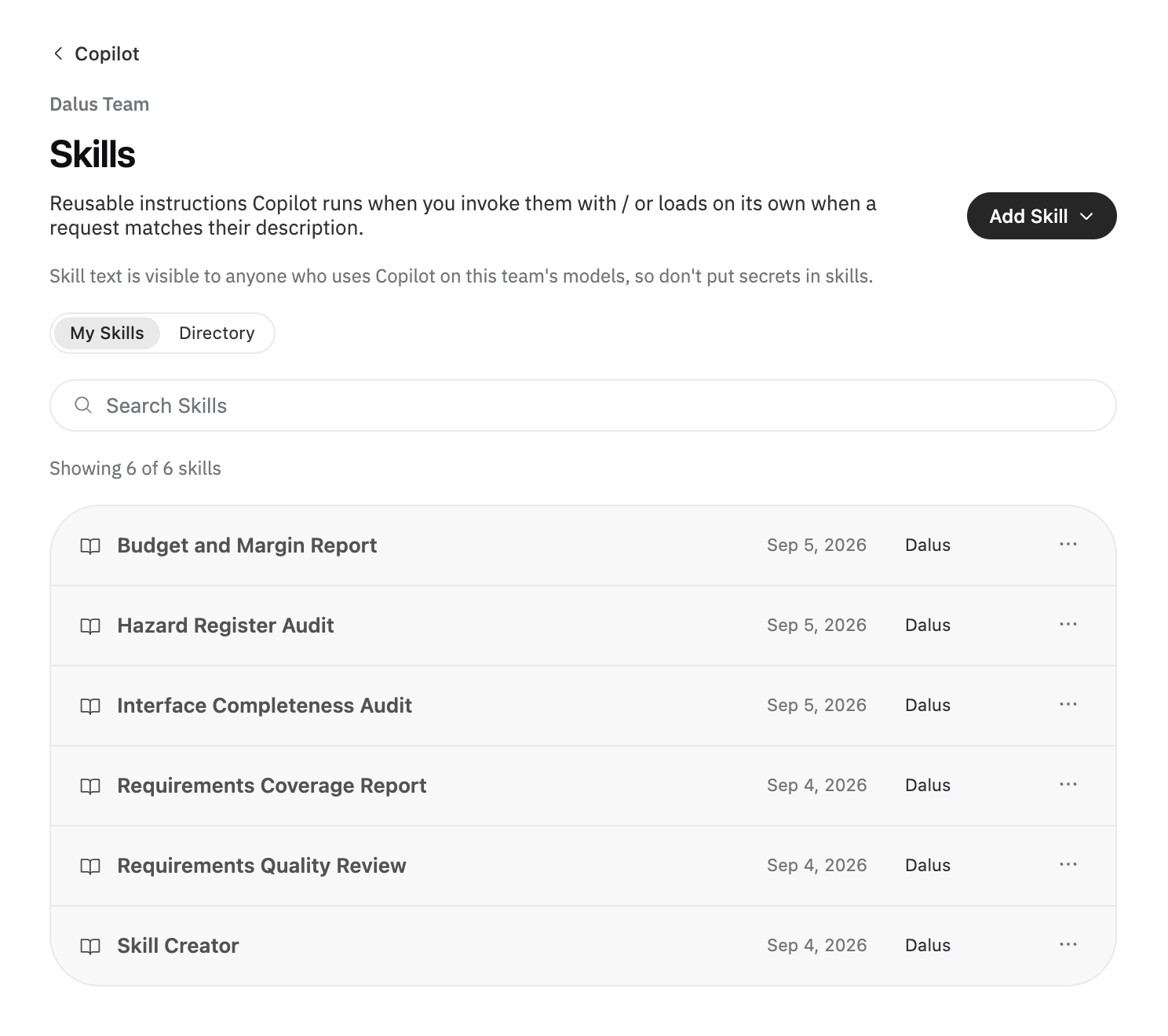
Give Copilot reusable instructions for recurring work with Skills, and standing team guidance with Rules. Open Copilot from the team dashboard, browse Skills > Directory, and add the skills your team needs. Type / in model chat to invoke a skill. Use Create with Copilot or /skill-creator to draft a skill and review it in the Save Skill card.
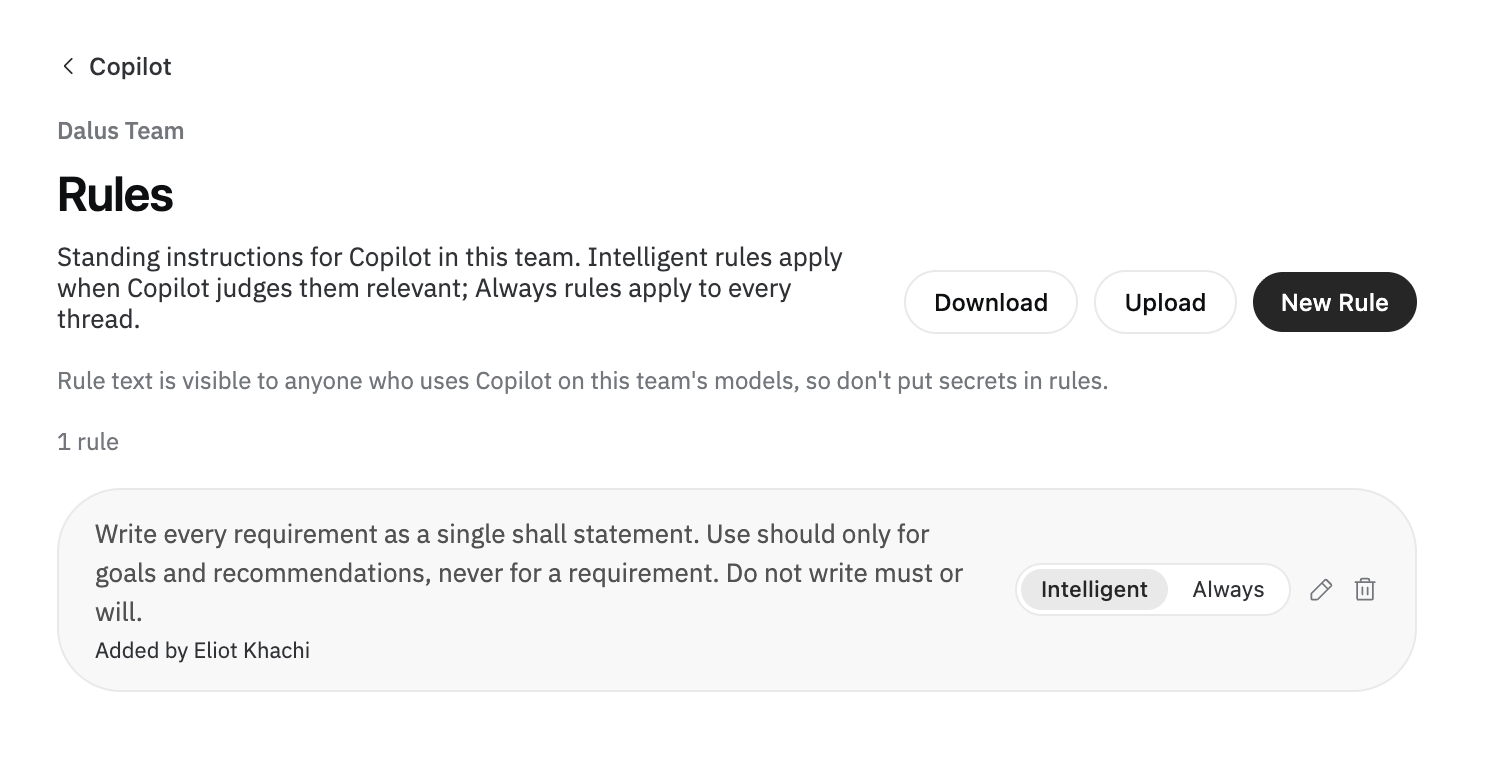
Choose Always rules for guidance that applies to every thread, or Intelligent rules for guidance Copilot applies when relevant. See Skills and Rules.
Australian Deployment
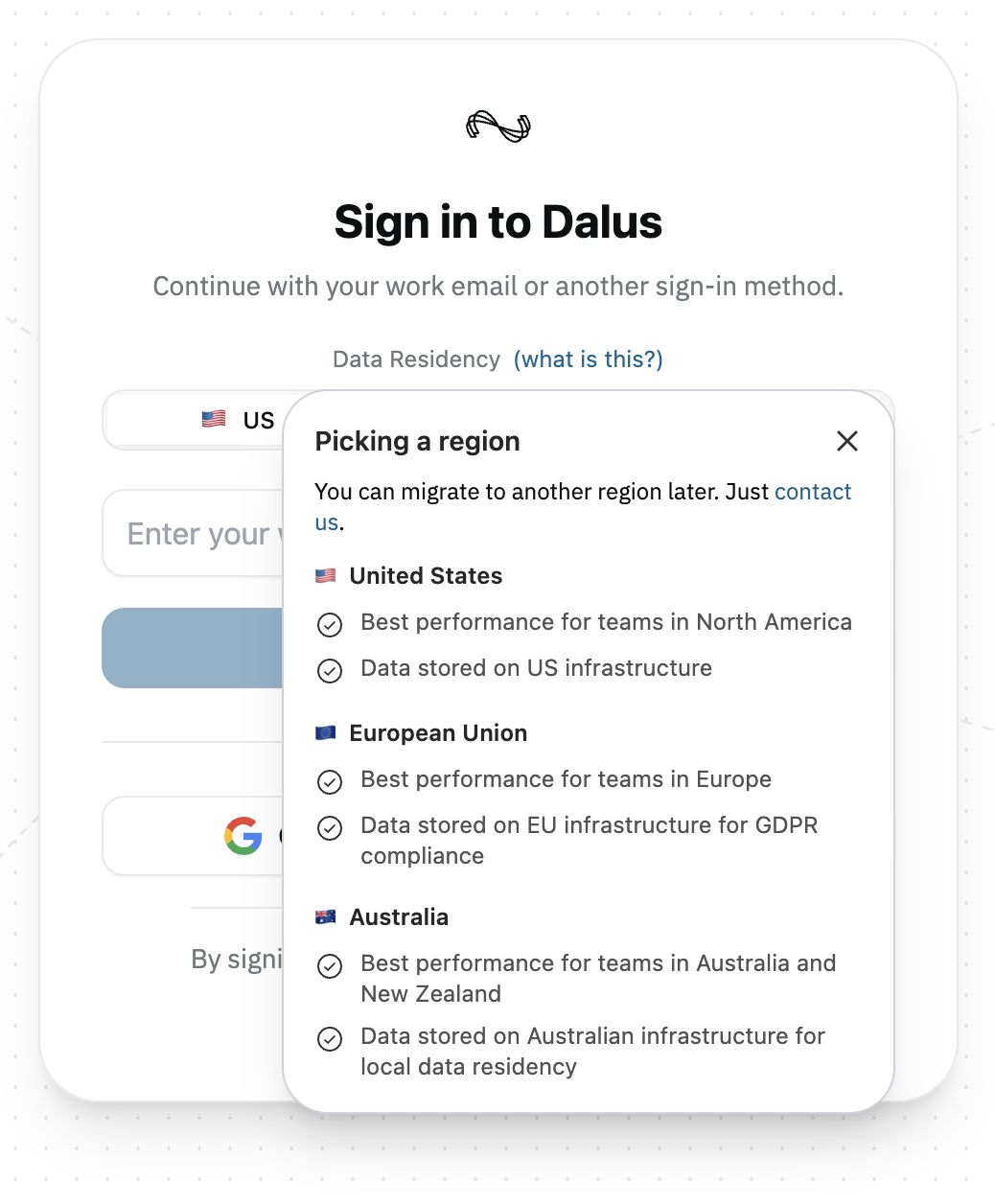
Dalus now offers Australian deployment alongside our US and EU regions, giving teams in Australia and New Zealand a local hosting option.
Choose Australia under Data Residency on the sign-in page. Open what is this? to compare the regions and see their hosting details. If your team already uses Dalus in another region, contact us to discuss moving to Australia.
Improvements
- Auto Layout improves diagram placement and connection routing across architecture and behavior views. Copilot also places connected elements as it creates them.
- Paste or drop files into the Copilot composer. Attachments up to 20 MB receive clearer format and size feedback; text files and CSV preserve their written values.
- ReqIF imports preserve source IDs, hierarchy, and formatted statements, and expose relationship references for column mapping.
- Import supported SysML v2 structures authored in other tools, including files without Dalus-specific export metadata.
- Model search and view controls are easier to access. See Model Navigation for Cmd/Ctrl + K search. Mission Planning is now Use Cases.
- Rule diagnostics stay current as you edit. Run Generate AI warnings explicitly when you want an AI review.
- Unit search recognizes more of the ways people write units and shows clearer names.
Fixes
- PDF requirements imports handle documents containing many requirements more reliably.
- Expression editing and automatic requirement verification work again; manually locked verification statuses remain under your control.
- Hazard matrices plot the residual assessment rather than the initial assessment.
- Uploaded Excel workbooks use the correct grid column alignment.
- Connection color editing preserves exact hexadecimal values.
- Test-case lists show descriptions when only the plain-text description is present.
- Model-only collaborators can open their models from Recents.
- Removed node visuals can be uploaded again from the same file, and long node names wrap more clearly.