Design FMEA from architecture
A Design FMEA is a walk of your architecture asking what breaks and what happens next. The architecture is already in the model, so this does the walk for you and brings a practitioner's instincts to it.

The problem this solves
FMEAs live in a spreadsheet cut off from the design, so they go stale as soon as the architecture changes. They are also done under time pressure, and it shows: detection ratings drift optimistic, shared power and data buses get overlooked, and the RPN ranking says more about who filled in the row than about risk.
How it works
Draft a Design FMEA from your architecture and export it to Excel.
The prompt
Walk the architecture of [model name] and draft a Design FMEA the way an experienced practitioner would: single-point failures first, suspicion of common-cause failures across shared buses and supplies, honest detection ratings. For each part: failure modes, effects, severity, occurrence, detection, RPN. Export as Excel and flag the top 10 RPNs.
Replace the [bracketed] placeholders with your model and project names.
Example output
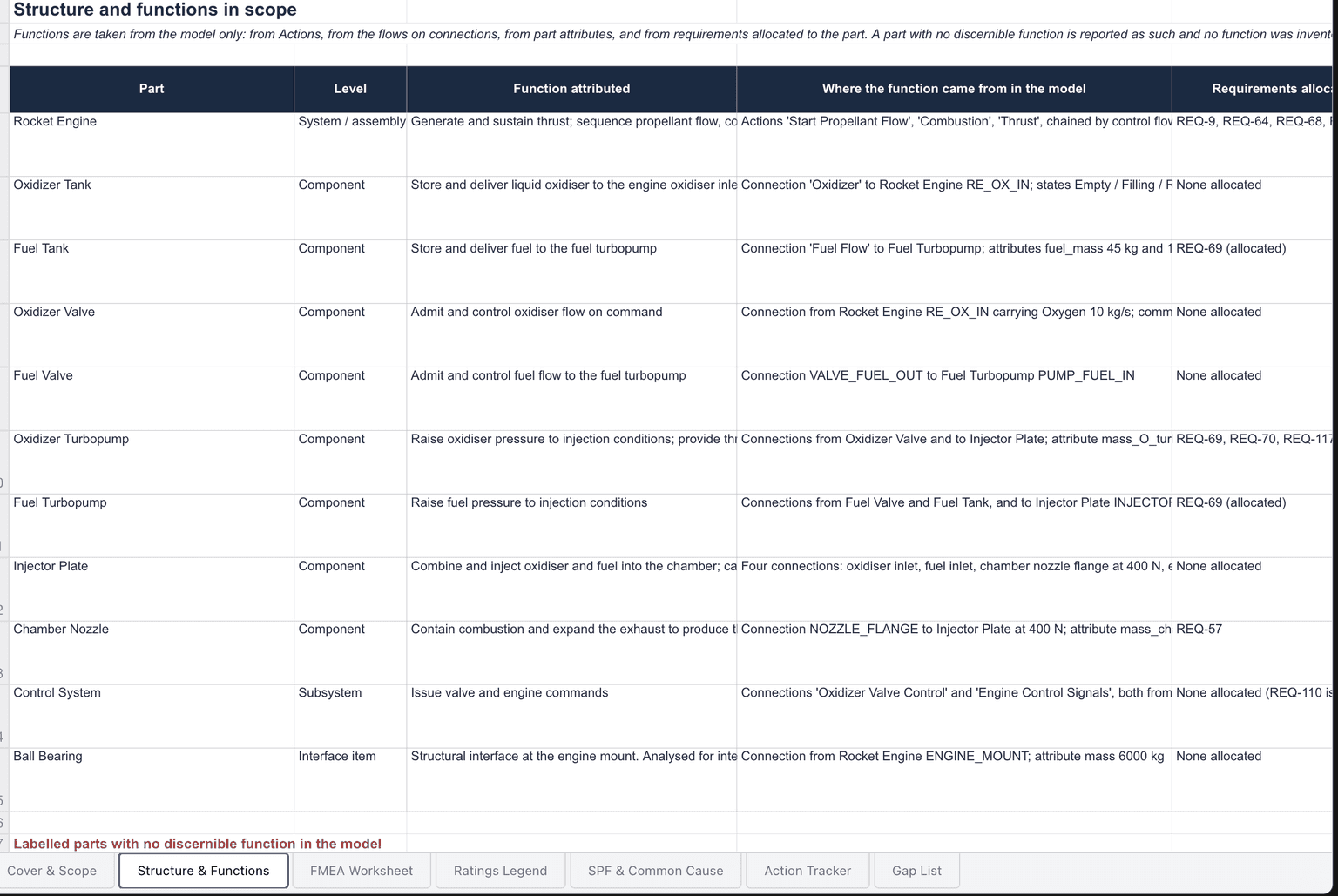
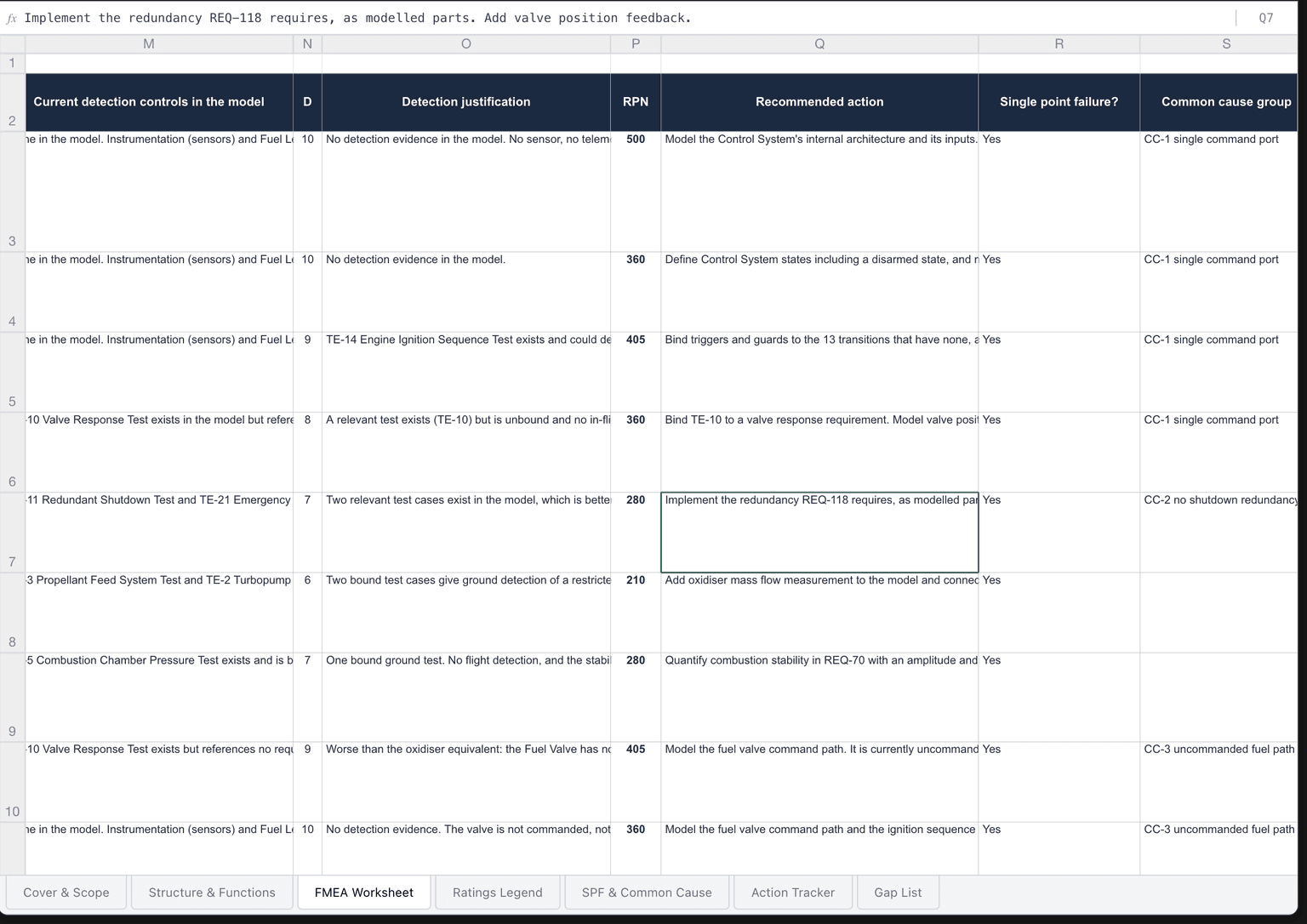
What you get
The FMEA is produced as an Excel workbook matching the columns your safety process already uses. Attach your existing FMEA and the agent follows its format and rating scales.
Common questions
More Excel workflows
Excel requirements import
Import every row of your spreadsheet as a requirement, with your IDs kept exactly.
Bill of materials from the architecture
An engineering BOM out of the part hierarchy, with every empty field counted rather than filled.
Budget and margin report
Any resource rolled up the hierarchy, with the margin stated against how real the data underneath is.