Software Requirements Specification (SRS)
For the software-heavy part of the system. Same 29148 family as the system spec, scoped to software requirements and traced back to the system requirements they come from.

The problem this solves
Spec documents get written twice: once as engineering, once as formatting. Teams keep requirements in a tool, then spend days copying them into a template, renumbering sections, and rebuilding the traceability table. By the time it is signed, the model has moved on.
How it works
The prompt
You are generating a formal Software Requirements Specification (SRS) for the software or software-intensive element modeled in [model name] in Dalus, following ISO/IEC/IEEE 29148:2018 (software requirements content).

SOURCES, resolve in this order before doing anything else:
1. Check whether a copy of ISO/IEC/IEEE 29148:2018 has been made available in the model’s attached documents or this conversation. If present, derive structure and content expectations from the software requirements material and cite specific clause numbers only when reading them from that copy. Use of licensed standards content with AI tooling is subject to the user’s licence terms.
2. If the user has uploaded their program’s own SRS template or an example, that file governs APPEARANCE and numbering. 29148 governs CONTENT. Merge the two.
3. If no standard text is available, generate from the classic SRS structure (Purpose, Scope, Product Perspective, Product Functions, User Characteristics, Limitations, Assumptions & Dependencies, Specific Requirements organised by external interfaces / functions / performance / etc., Verification) and state on the cover that the document was generated without the standard text present.

READ THE MODEL fully: software or software-intensive parts, external and internal interfaces, data/flows, requirements with IDs, statements, attributes (rationale, source, priority, status, verification method, allocation), parent/satisfy relationships, verification items and test cases, states/modes that affect software behaviour, assumptions, dependencies, and constraints.

READ-BACK, always, before generating: report in a short message:
- requirement counts broken into (a) complete statements, (b) grouping records, (c) empty/placeholder statements (must reconcile to model total);
- verification coverage;
- presence of rationale, source, priority;
- interface and data elements found;
- the two or three structural problems expected in the findings.
Then ask exactly ONE question combining tailoring and document ID / issue number (auto-generate and mark if none given). “fast” skips further questions.

STRUCTURE AND MAPPING:
- Purpose and Scope of the software.
- Product perspective (context within the larger system, external interfaces).
- Product functions overview.
- User characteristics.
- Limitations and constraints.
- Assumptions and dependencies (populated from the model or explicitly marked missing).
- Specific Requirements, organised primarily by the classic software categories:
  External Interfaces, Functions, Usability, Performance, Logical Database / Data, Design Constraints, Standards Compliance, Software System Attributes (reliability, security, maintainability, etc.).
  Within each category, show allocation/subsystem and parent links.
- Categories with no requirements are collapsed into a single short list rather than empty stub sections.
- Grouping records appear only in structure/traceability sections; empty-statement records are listed separately so totals reconcile.
- Upward traceability to system or stakeholder requirements is shown where the model contains the links; missing upward traces are flagged.

VERIFICATION MAPPING (same strict rules as SyRS):
- Only verification recorded on the requirement itself counts as populated.
- Use Inspection / Analysis / Demonstration / Test unless the model or template dictates other terms.
- Candidate test cases are shown distinctly from formal verification methods.
- Verification attached to non-requirements is a finding.

CONSISTENCY CHECKS:
- Requirement vs requirement contradictions.
- Requirement vs model attributes (units, magnitudes, budgets).
- Truncated or incomplete statements.
- Broken or missing parent / upward traces.

QUALITY RULES:
- Same well-formed requirement characteristics (necessary, singular, verifiable, implementation-free, etc.).
- Missing rationale is a Minor finding when the attribute is supported by the model.
- Never silently rewrite; every violation goes to the findings annex with original text, suggested rewrite, and severity (Blocker / Major / Minor).

GAPS: never invent requirements, interfaces, or data definitions. End with a consolidated gap list ordered by impact, phrased as concrete work remaining in the Dalus model.

LAYOUT:
- Compact requirement tables (ID | Statement | Category | Allocation | Parent | Upward Trace | Rationale | Verification | Status | Priority) grouped by software category.
- “Detailed layout” available on request (one block per requirement).
- Wide traceability and gap matrices on landscape pages.
- Empty major sections state exactly what is missing.

OUTPUT QUALITY, non-negotiable:
- Word document with clear numbering, populated TOC, headers, page numbers, and a cover page with document ID, issue/revision, generation date, source model, sources used, tailoring note, and DRAFT status.
- No instructional or placeholder text left in the body.
- Before delivering, visually verify cover, TOC, one requirement table, assumptions section, and one annex. Fix and re-render if needed.
- Read-only with respect to the model. After delivery, offer (do not execute) converting the gap list into tracked tasks.
Replace the [bracketed] placeholders with your model and project names.
Example output
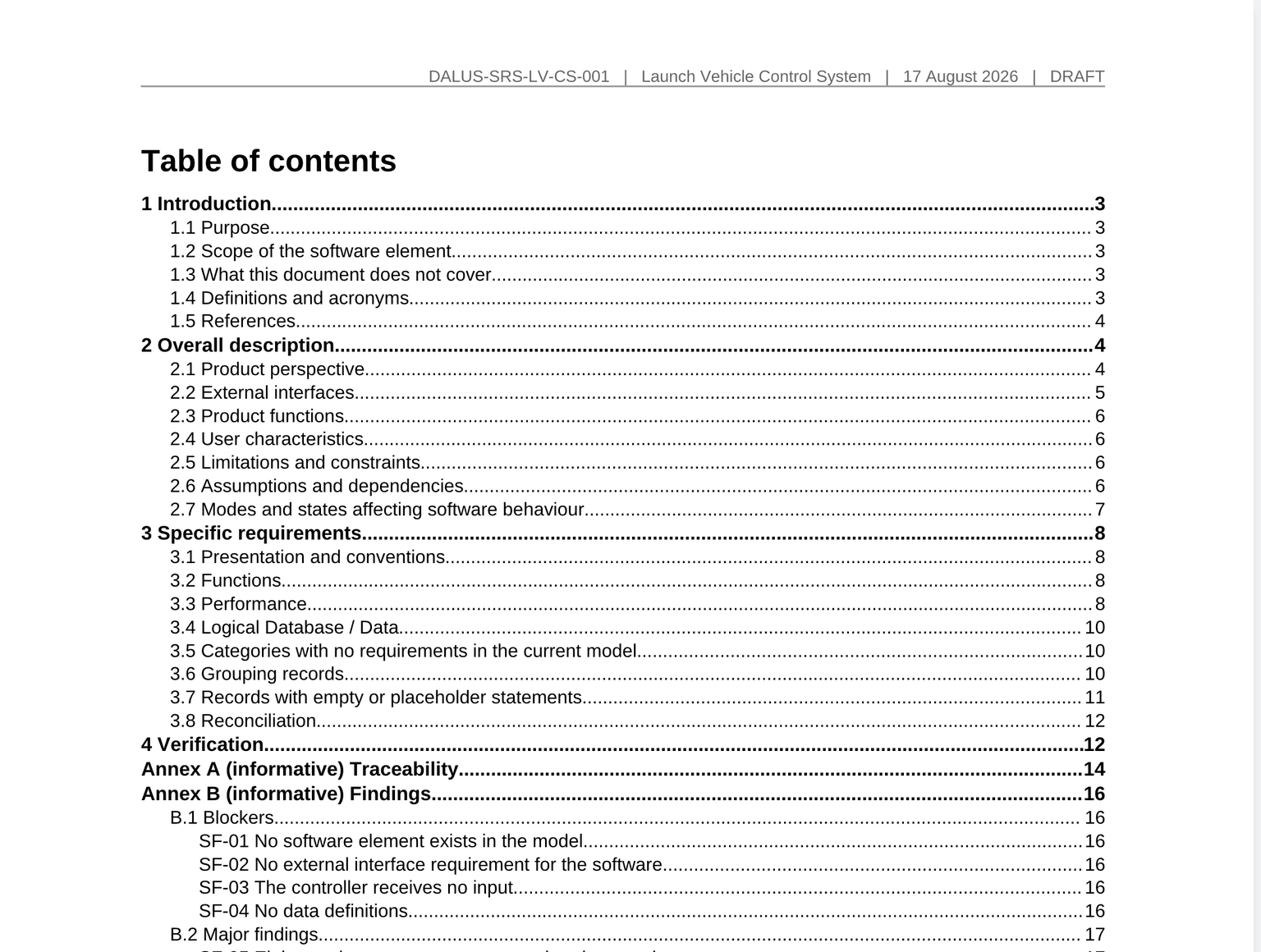
What you get
Your format
Other tools hand you empty templates to type into. Because the document chain maps to requirement levels in the model — stakeholder needs at the top, system requirements below, satisfied by parts — one Dalus model emits the whole chain and cross-document traceability comes free.
The document is produced as a real Word file, not a chat response. Attach your house template or an example deliverable and the agent replicates its structure, headings, and numbering scheme.
Common questions
More Word workflows
Interface Requirements Document (IRD)
The obligations on an interface, stated per end, including the interfaces that have none.
Interface Control Document (ICD)
The agreed interface design, with a coverage table saying which sections the model could not fill.
Compare your model against a counterparty ICD
Characteristic by characteristic against their document, with how each match was made.