Requirements coverage report
Before model gaps become tickets, you need to know which gaps are real. This reports what is missing, separates the requirements that are genuinely unowned from the ones that were never meant to have an owner, and files nothing.

The problem this solves
A coverage query is easy to run and easy to act on badly. The raw list of unallocated requirements sweeps up every mass target, safety constraint and compliance clause that has no owning part by design. File that list as work and the real gaps are buried under noise, which is how a coverage report loses its credibility the first time it is used.
How it works
What the model is actually missing, triaged, before any of it becomes a ticket. Unallocated requirements, unconstrained connections and never-run test cases, with the requirements that are system-level by nature separated out and reasoned, ranked by what most endangers the design.
The prompt
You are producing a coverage report on the Dalus model [model name],
so the user can triage what is genuinely missing before anything gets
filed as work. Nothing is filed by this workflow. You write nothing to
the model and nothing to Jira.

CONFIRM FIRST: which Dalus model, and which Jira project the findings
would eventually go to. If either is ambiguous, ask before reading.
Ask anything else you need in the same message, once.

READ THE MODEL: requirements with IDs, statements, type, status,
level, parent and satisfy relationships, allocation; parts and
hierarchy; connections with ports, flows and variable units;
verification items; test cases with their run status and the
requirements they reference; hazards and mitigations; trade studies.

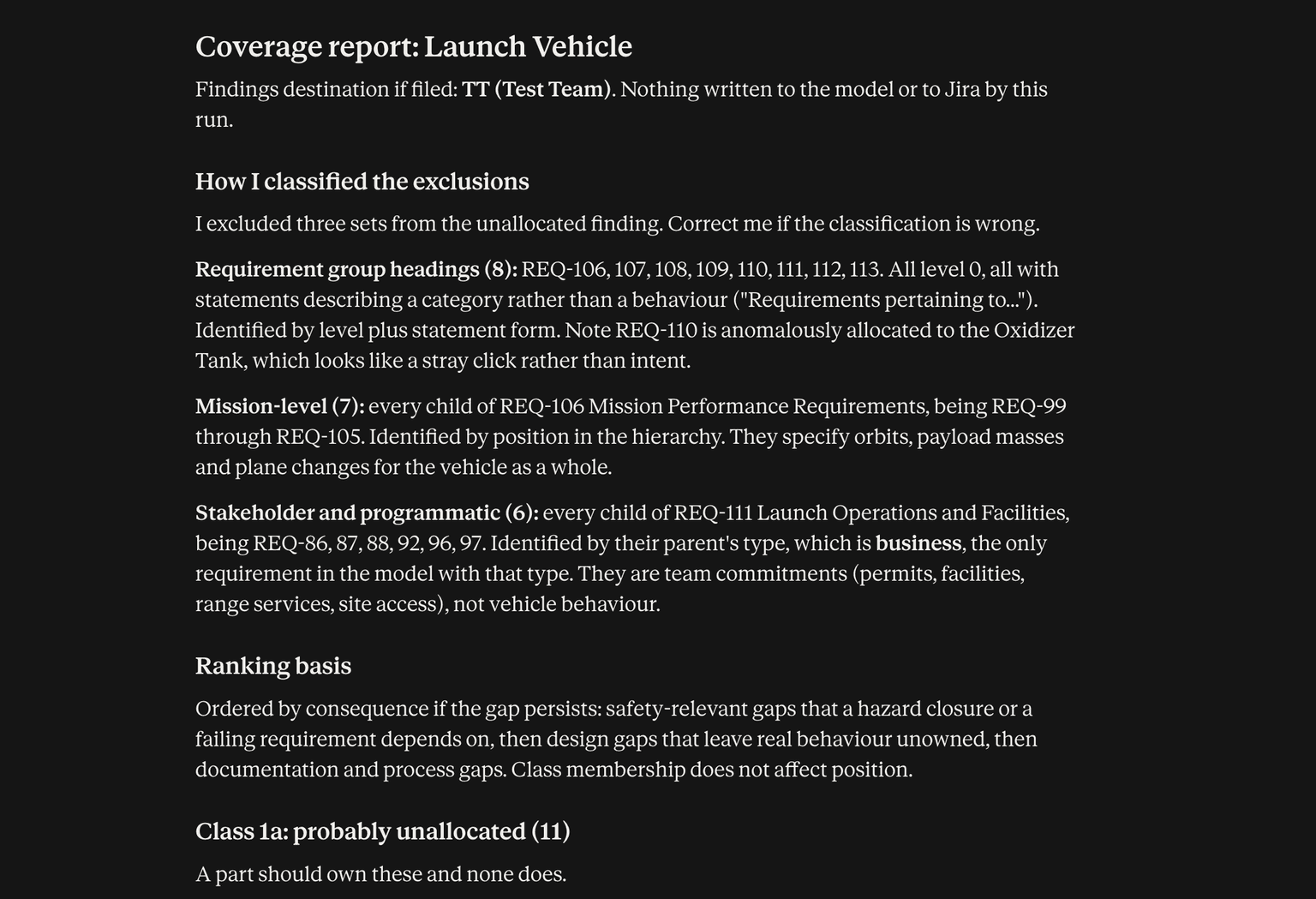
SCOPE EXCLUSIONS: exclude mission-level and stakeholder-level
requirements from the unallocated finding. They sit above allocation
by design. State how you identified them (type, level, position in
the hierarchy) so the user can correct the classification if you got
it wrong.

FINDING CLASSES, report each as its own list:
1. Requirements with no satisfying part or connection.
2. Connections with no interface requirement constraining them.
3. Test cases never run.
Plus, since they are cheap and adjacent: requirements with no
verification of any kind, and hazards with no mitigating requirement.
Keep these last two clearly separate so the user can ignore them.

THE JUDGMENT STEP, the reason this is a report and not a ticket
factory. Split class 1 into two lists:
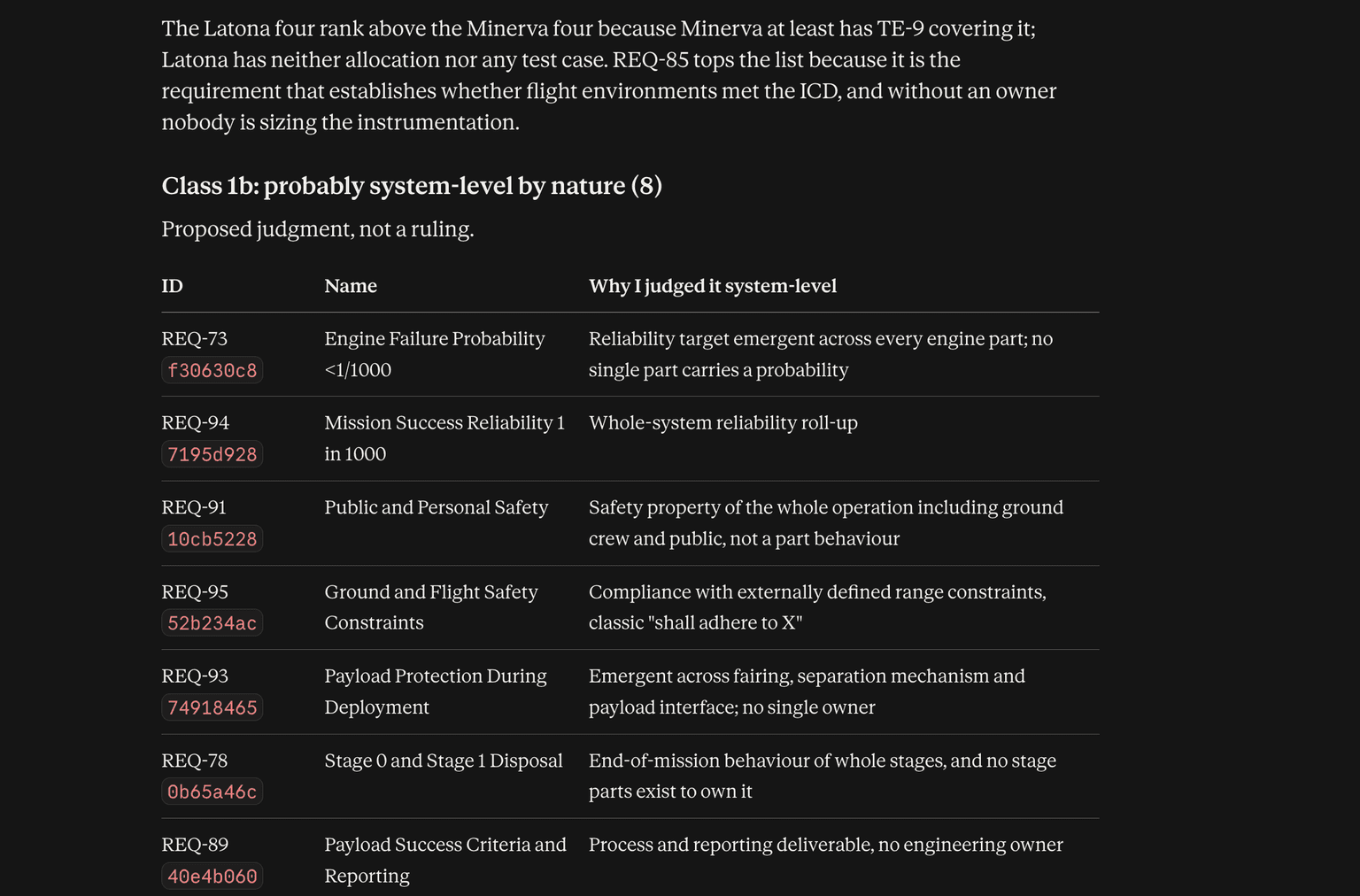
- Probably unallocated: the requirement describes behaviour or
  performance that some part should own, and no part owns it.
- Probably system-level by nature: constraints, standards
  compliance, emergent or whole-system properties (mass, safety,
  regulatory, cost, reliability targets, "the system shall comply
  with X"), which legitimately have no single owning part.
For every requirement in the second list, give the one-line reason you
judged it that way. You are proposing a judgment, not making a ruling;
the user overrides it.

EVIDENCE: every finding names the model element it came from, so the
user can go straight to it. Never report a count without being able
to show the rows behind it.

RANKING: order findings by what most endangers the design, not by
class. A safety-relevant requirement with no allocation outranks a
documentation requirement with no verification. Say what the ranking
is based on.

RECONCILE: state totals so nothing hides. Total requirements =
allocated + probably unallocated + probably system-level + excluded
by level. Show the arithmetic.

NEVER: invent an allocation, guess which part should own a
requirement, change anything in the model, or create Jira issues.
Where a plausible owning part exists, you may name it as a suggestion,
clearly marked as a suggestion.

OUTPUT: a readable report in chat, grouped by finding class, ranked,
with the arithmetic. If it exceeds what is comfortable to read, also
deliver it as a spreadsheet with one row per finding and columns for
class, element ID, name, reason, suggested owner, and rank. End with:
"Tell me which findings to open as Jira issues and in which project."
Then stop and wait.

SCHEDULED VARIANT: if the user says this is a recurring run, or gives
you a previous report, do not repeat the full list. Report only the
delta: findings closed since last time, new findings, and findings
that regressed (previously closed, now open again). Explicitly list
findings you are not refiling because they already have a Jira issue
or were previously triaged as system-level. The recurring version must
stay short enough to read in a minute.
Replace the [bracketed] placeholders with your model and project names.
Example output
What you get
Nothing is filed by this run. It confirms which project the findings would eventually go to, hands you a triaged list, and stops. Give it the previous report and it returns only the delta: findings closed, new, and regressed, plus the ones it is deliberately not refiling because they already have an issue or were triaged as system-level.